


To initiate the seamless process of 'Sub-Lease Termination', kindly proceed by following the specified and outlined steps, and then click on 'Start Service.'

Fees
Free of Fees

Documents
2 Documents Required
Watch
Service Process Video

Transaction Time
1 Working Days
Service Request steps:
- Visit e-service page
- Click on e-service
- Log in to your account
- Select plot
- Select the sublease contracts
- Select the Termination Button
- Upload the documents
- Terminate the contract
Documents Required
- Final Dewa Bill- required 5 pages
- Letter of Sub tenant
Watch the video
 Help Centre & Location
To initiate the seamless process of 'New Sub Lease', kindly proceed by following the specified and outlined steps, and then click on 'Start Service.'
Fees
Free of Fees
Documents
1 Document Required
Watch
Service Process Video
Transaction Time
1 Working Days
Service Request steps:
- Visit e-service page
- Click on e-service
- Log in to your account
- Select plot
- Chose create new sublease
- Select the sub unit
- Fill the Sub tenant information and contract info
- Upload the documents
- Submit the request for approval
Documents Required
- Contract agreement
- Trade License
- Classification of Hazardous Materials Form Download Now
Watch the video
Help Centre & Location


Blogs
DREC owns a sizeable land bank which includes properties registered under the name of the Dubai Government.
Six reasons why you should invest in Dubai real estate Date: 14/11/2023


,
14/11/2023, 7 Minutes Read
Dubai Real Estate Corporation (DREC) was established in June 2007 by his Highness Sheikh Mohammed Bin Rashid Al Maktoum, Vice-President and Prime Minister of the UAE and Ruler of Dubai, through Law Number 14.
DREC owns a sizeable land bank which includes properties registered under the name of the Dubai Government. Its mandate extends to building, investing in and the utilization of commercial and industrial lands and properties.
DREC contributes to the sustainability of Dubai's urban growth.
Dubai Real Estate Corporation (DREC) was established in June 2007 by his Highness Sheikh Mohammed Bin Rashid Al Maktoum, Vice-President and Prime Minister of the UAE and Ruler of Dubai, through Law Number 14.
DREC owns a sizeable land bank which includes properties registered under the name of the Dubai Government. Its mandate extends to building, investing in and the utilization of commercial and industrial lands and properties.
DREC contributes to the sustainability of Dubai's urban growth.
Dubai Real Estate Corporation (DREC) was established in June 2007 by his Highness Sheikh Mohammed Bin Rashid Al Maktoum, Vice-President and Prime Minister of the UAE and Ruler of Dubai, through Law Number 14.
DREC owns a sizeable land bank which includes properties registered under the name of the Dubai Government. Its mandate extends to building, investing in and the utilization of commercial and industrial lands and properties.
DREC contributes to the sustainability of Dubai's urban growth.
Dubai Real Estate Corporation (DREC) was established in June 2007 by his Highness Sheikh Mohammed Bin Rashid Al Maktoum, Vice-President and Prime Minister of the UAE and Ruler of Dubai, through Law Number 14.
DREC owns a sizeable land bank which includes properties registered under the name of the Dubai Government. Its mandate extends to building, investing in and the utilization of commercial and industrial lands and properties.
DREC contributes to the sustainability of Dubai's urban growth.


News & Press Release
Wasl Celebrates The Spirit of the Union on UAE Flag Day
Wasl Celebrates The Spirit of the Union on UAE Flag Day
Date:
10/11/2023
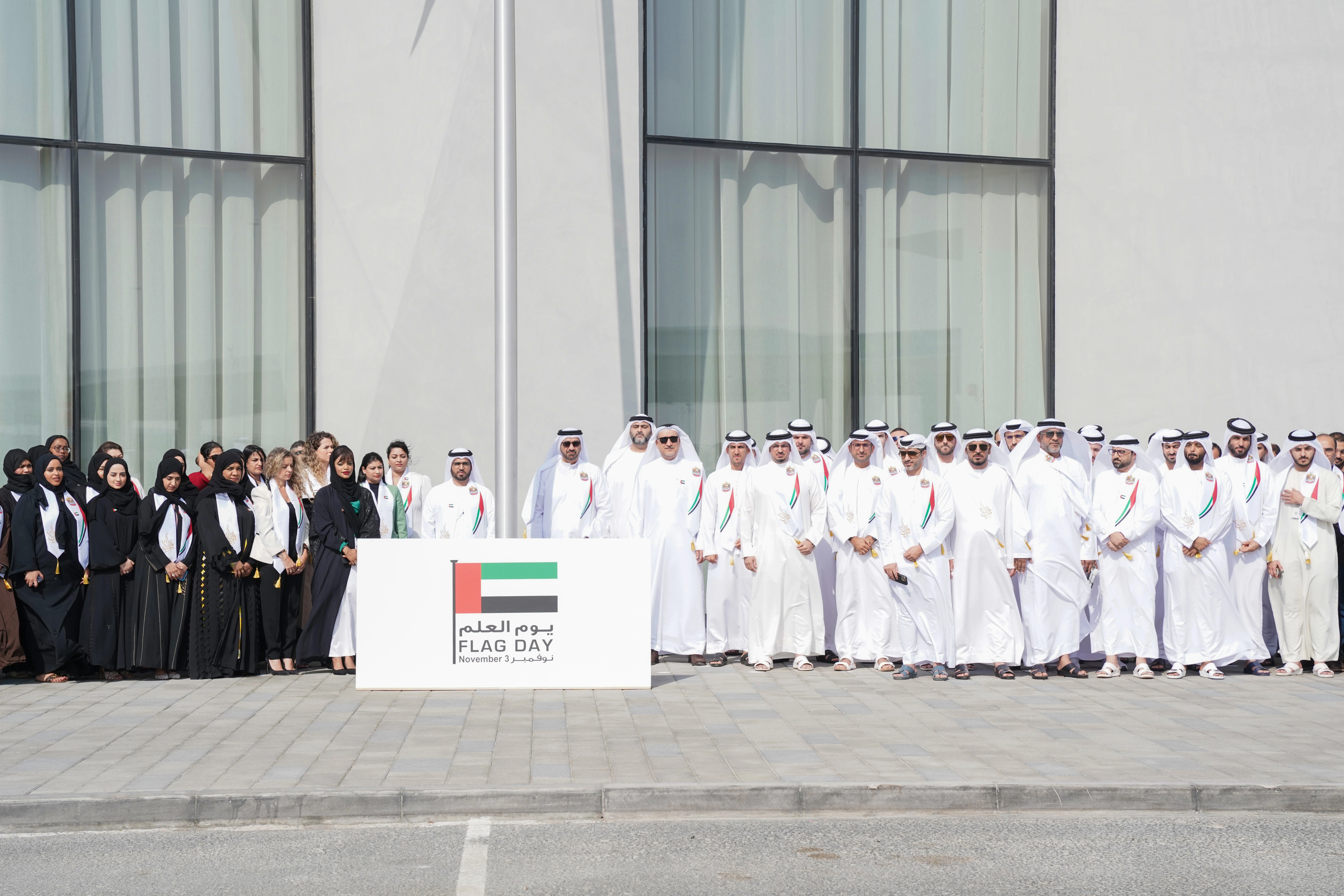
The flag hoisting ceremony took place in the presence of His Excellency Hesham Al Qassim, CEO of Wasl.
Dubai, UAE; 03 November 2023: Wasl, one of the largest real estate development and management companies in Dubai, celebrated UAE Flag Day with patriotic fervours. The flag hoisting ceremony took place in the presence of His Excellency Hesham Al Qassim, CEO of Wasl, alongside Wasl executives and employees, at the Wasl Experience Center on Sheikh Zayed Road at 10 AM.
This initiative embodies Wasl’s commitment to participate in various national occasions, that enhance the spirit of belonging and union.
Congratulating the wise leadership of the country, HE Hesham Abdulla Al Qassim, CEO, Wasl said: “The UAE flag symbolizes peace, tolerance, and harmony, as this is a country that welcomes people from all over the world, and offers them access to opportunities, security and stability, and world-class facilities. The legacy and ideals of our founding father, the late Shaikh Zayed bin Sultan Al Nahyan, continue to flourish today. On UAE Flag Day we remember the contribution of all those who built this great nation."
The day is celebrated annually across the UAE on 3 November each year, in response to the directives of His Highness Sheikh Mohammed bin Rashid Al Maktoum, Vice President and Prime Minister of the UAE and Ruler of Dubai, who called on citizens, ministries and government institutions to hoist the UAE flag to commemorate Flag Day.
To initiate the seamless process of 'Payment', kindly proceed by following the specified and outlined steps, and then click on 'Start Service.'
Service Request steps:
- Visit the Eservice page
- Click on e-service
- Enter Ejari no or Sublease contract no.
- Enter the plot no.
- Select the payment method
- Pay
- Ejari will be received by Email
Documents Required
- Sub-Lease Number or Ejari Number
- DM Plot Number
- Registered Email Address with DREC
- Registered Mobile Number with DREC
